

JK Audio
Daptor Two – Wireless Phone Interface
Product code: DAP2
150€
(VAT 0%)
188€
(VAT 25.5%)
Availability
Product in stock
Outlet
Product
Remote Broadcasts or IFB Feeds
Over a Cell Phone?
Connect your wireless phone to the Daptor Two using the included 1/4" TRS to 3.5mm TRRS cell phone interface cable. Send and receive voice band audio during regular calls, or full bandwidth audio using third party codec applications. Your device will recognize Daptor Two as a headset which will disable the internal mic and speaker.
Audio Connections
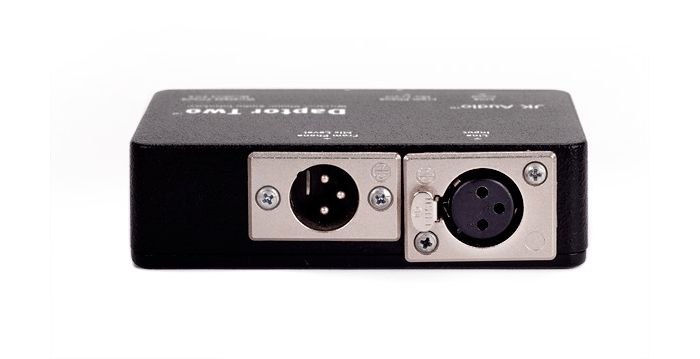
You may use either the XLR input or 1/4" input, not both. The XLR input jack is disconnected when a cable is plugged into the 1/4" input jack. The same is true for the XLR and 1/4"output jacks.
JK Audio Daptor Two Top
Wireless Phone Headset Jack
Simply plug the included 1/4" TRS to 3.5 mm TRRS cell phone interface cable into the Wireless Phone Headset Jack of Daptor Two and into the 3.5 mm TRRS headset jack of any wireless phone or notebook computer that accepts a third party headset or earpiece. Cell phones that do not offer a 3.5mm TRRS headset jack will require an adapter (not provided) that allows the use of a third party 3.5mm TRRS headset or earpiece.
Our experts

Esa Lötjönen
Senior Specialist, Audio
I manage radio content production and the technical operating environment. I also specialize in complete audio production solutions, from podcast studios to national radio channels.
Area of expertiseAudio, Broadcasting and transmission, program production
+358201557722
esa.lotjonen@mediatrade.fi

Janne Trogen
Product Manager
With 30 years of experience in broadcast and transmission installations, I handle audio and intercom equipment, as well as projects and installations, at Mediatrade.
Area of expertiseAudio, Broadcast and Transmission, Events
+358201557721
janne.trogen@mediatrade.fi